
Download Remove It Permanently – Customize Your Browsing Experience
Overview
Remove It Permanently is a Firefox add-on designed to give users direct control over their web browsing environment. By allowing the removal of specific website elements with minimal effort, it addresses the growing need for personalized online experiences in a cluttered digital landscape. The app enables users to eliminate distractions such as advertisements, sidebars, pop-ups, and other non-essential content simply by hovering over the element and selecting a removal option. This functionality empowers users to streamline web pages, improving readability and focus on core content.
The target audience includes individuals who frequently visit content-heavy websites and seek a cleaner, more efficient browsing experience. Whether for productivity, research, or leisure reading, the tool helps users reduce visual noise and enhance concentration. It is particularly useful for those who value control over their digital environment without requiring technical expertise.
Developed for Firefox, the app has been available since 2008, indicating a long-standing presence in the browser extension ecosystem. Its continued relevance suggests a reliable, stable foundation. Although the developer did not provide additional technical details, its longevity reflects consistent user demand for customizable browsing tools. Real-world use cases include reading articles without sidebar distractions, viewing product pages without promotional banners, or simplifying dashboard layouts for faster data access.
Within the broader app ecosystem, Remove It Permanently fills a niche for lightweight, non-invasive utilities that enhance user autonomy. It complements other privacy and productivity tools by offering a simple yet effective way to shape the web interface on a per-page basis.
Key Features & Functionality
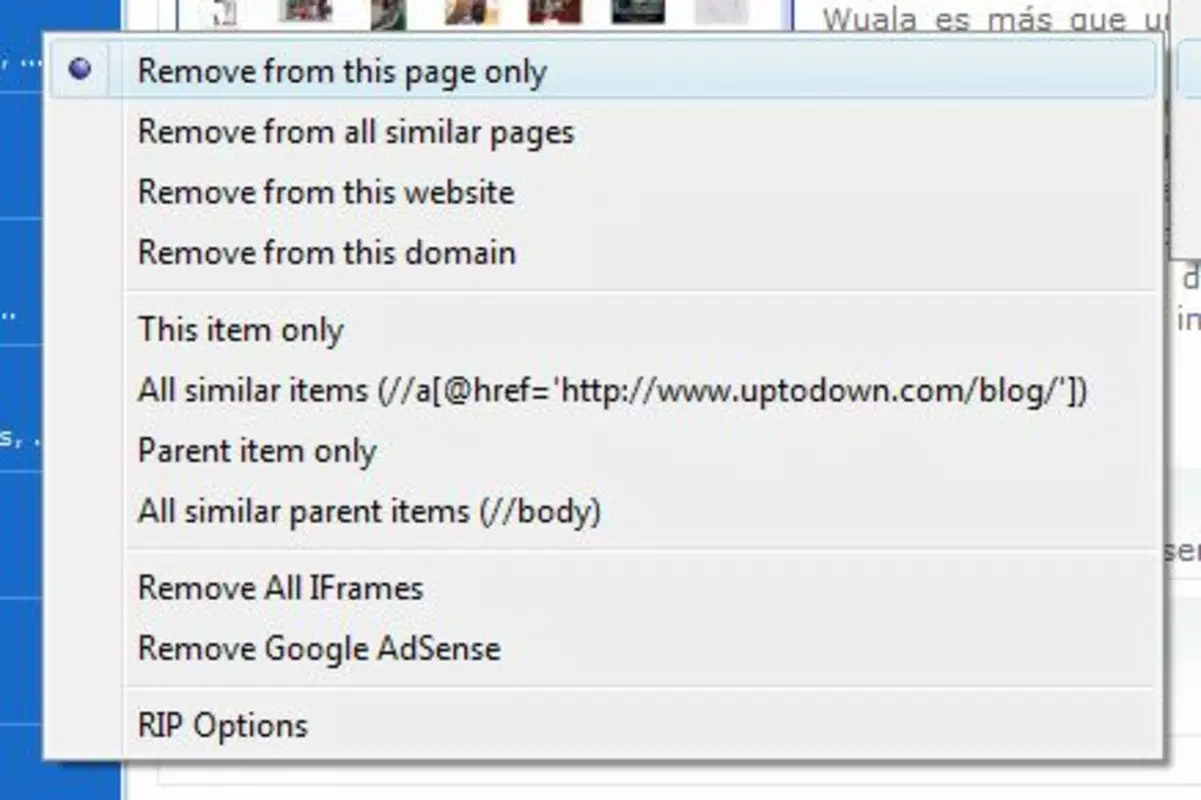
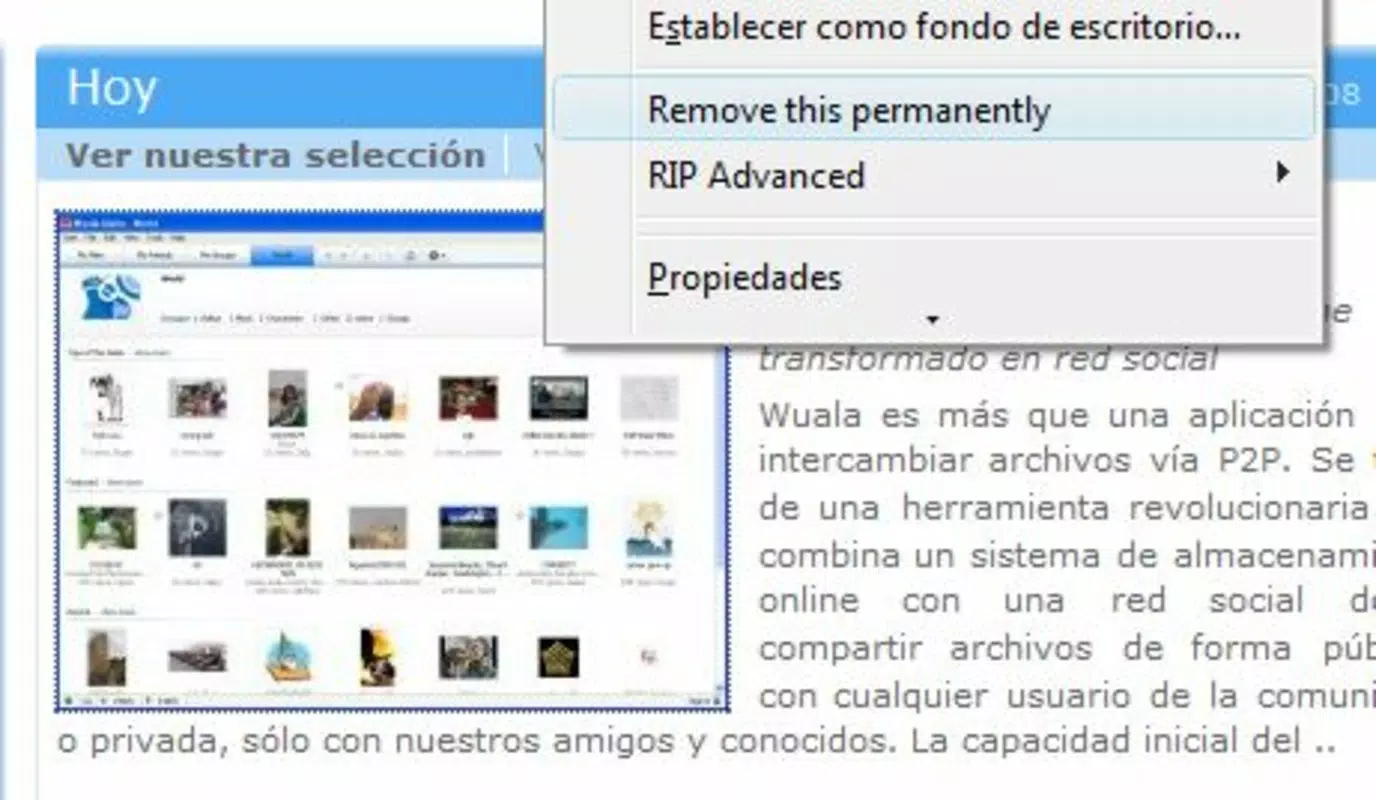
Remove It Permanently delivers a focused set of features centered on user-driven customization. The core functionality revolves around real-time element removal through an intuitive interaction model: hover over any webpage element, right-click, and select 'Remove It Permanently' to instantly hide it. This process is immediate and requires no configuration, making it accessible even to non-technical users.
- User-Friendly Interface: The add-on integrates seamlessly into Firefox’s interface, with no complex setup. The context menu option is clearly labeled and consistently available across all websites.
- Quick Restoration: If an element is removed by accident, users can restore it with a single right-click, ensuring no irreversible changes are made to the page.
- Customizable Browsing Experience: Users can tailor individual pages to their preferences, removing ads, navigation bars, or promotional content without altering the site’s structure permanently.
- Time-Saving Tool: By eliminating distractions upfront, users can access relevant content faster, reducing cognitive load and improving browsing efficiency.
- Compatible with Firefox: The add-on is built specifically for Firefox, ensuring compatibility with its extension architecture and performance standards.
For example, a user reading a news article can remove sidebar ads and related content sections, allowing full focus on the main text. Similarly, someone analyzing a data table on a corporate website can eliminate navigation menus and banners to improve clarity. These use cases demonstrate how the tool enhances usability without requiring external tools or scripts.
Interface, UX & Performance
The interface of Remove It Permanently is minimal and unobtrusive, designed to integrate smoothly with Firefox’s native UI. The right-click context menu provides immediate access to the removal function, ensuring that users can act quickly without navigating through multiple settings or menus. Navigation remains consistent across all websites, maintaining a predictable user experience.
Visual style aligns with Firefox’s modern design language—clean, functional, and text-focused. There are no additional panels, pop-ups, or overlays that could disrupt the browsing flow. The interaction is direct: hover, click, remove. This simplicity reduces learning time and supports intuitive use.
Although the developer did not list formal performance metrics, the tool operates in real time without noticeable lag during element removal. It does not appear to impact page load times or browser responsiveness. Stability is implied by its long-term availability since 2008, suggesting consistent performance across updates and website changes.
Compatibility with various device categories is not explicitly detailed. However, as a Firefox add-on, it functions on devices running supported versions of the browser, including desktop and laptop systems. The tool does not require additional hardware or system resources beyond standard browser operation.
Platform Compatibility & Technical Requirements
Remove It Permanently is designed exclusively for the Firefox web browser. It is not available for mobile platforms or other browsers. The app does not support Android or iOS devices, and no information was provided regarding specific OS versions or file size.
The developer did not specify minimum OS requirements or technical specifications. Compatibility with different Firefox versions is assumed based on its long-standing presence, but exact version support was not disclosed. The file size is also not listed, though Firefox add-ons of this nature are typically lightweight, ranging from a few hundred KB to a few MB.
Users should ensure their Firefox browser is up to date to maintain compatibility and security. While the app is not available as a standalone mobile application, its functionality is limited to desktop browsing environments.
Pros and Cons
Pros
- Simple, intuitive interface with minimal learning curve.
- Instant removal of unwanted website elements via right-click.
- Ability to restore removed elements with a single action.
- Enhances focus and reduces visual clutter on web pages.
- Long-standing presence with consistent functionality since 2008.
Cons
- Available only for Firefox, not compatible with other browsers.
- Not available as a mobile app for Android or iOS.
- Specific technical requirements were not disclosed.
- Does not offer persistent settings across devices or profiles.
- Functionality is limited to the current browsing session unless saved by the user.
FAQ
Is Remove It Permanently safe to use?
Yes, the add-on operates within Firefox’s secure extension framework and does not collect or transmit user data. It only modifies the visible content of web pages locally.
Can I use Remove It Permanently on mobile devices?
No, the tool is currently only available for desktop versions of Firefox and is not supported on Android or iOS devices.
Does Remove It Permanently affect website functionality?
No, it only hides elements visually. The underlying website structure and functionality remain unchanged.
How do I restore a removed element?
Right-click on the area where the element was removed and select the 'Restore' option from the context menu.
Is the app free to download and use?
Yes, Remove It Permanently is available at no cost through the Firefox Add-ons platform.
Final Thoughts
Remove It Permanently stands out as a reliable, no-frills solution for users seeking a cleaner, more focused browsing experience. Its straightforward approach to removing unwanted web elements makes it ideal for anyone who values efficiency and control. While limited to Firefox and desktop use, its simplicity and long-term stability make it a trusted companion for frequent web users.
For individuals who spend significant time reading articles, analyzing data, or navigating complex websites, this tool offers real benefits without complexity. It enhances usability by putting users in charge of their digital environment, one element at a time.
Although it lacks advanced customization or cross-device syncing, its core function is executed flawlessly. For those using Firefox and seeking a lightweight, effective way to personalize their web experience, Remove It Permanently delivers consistent value.
Download Remove It Permanently now


